
Why
Communication is at the heart of care: breaking bad news, taking a history, handing over a patient, calming a worried relative. These skills are hard to practise, because simulated patients and supervised role plays are costly and rare. CareConverse lets students rehearse such situations as often as they need, and gives teachers a way to design them and see where their class stands.
What it does
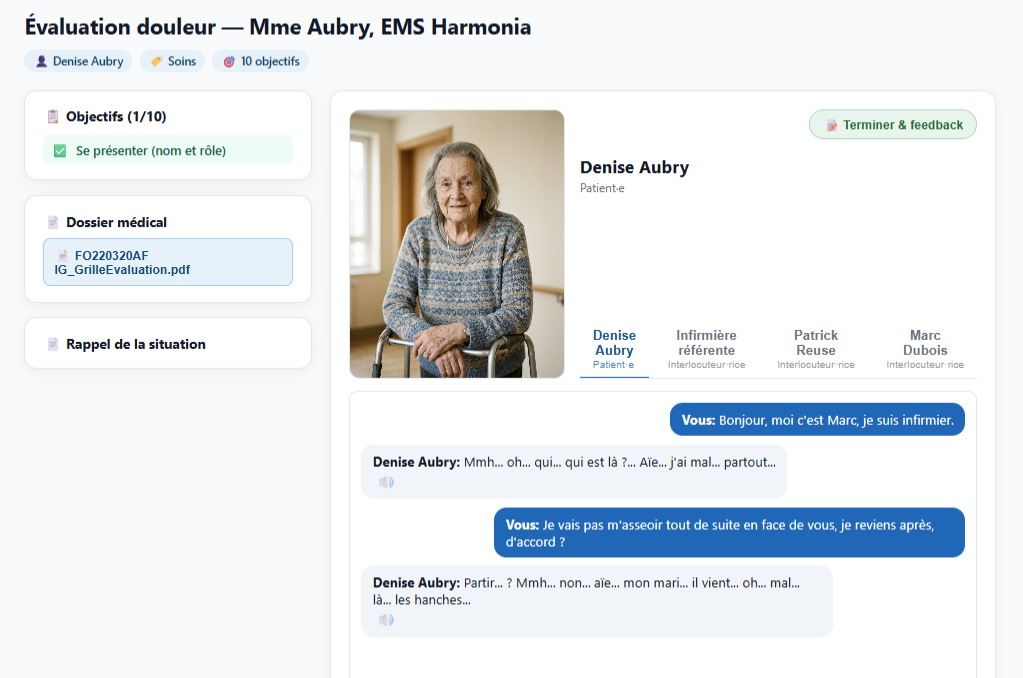
Real-time voice dialogue
Students speak naturally with the simulated person, or type if they prefer.
Group conversations
Several characters, each with their own voice, who also talk to each other, for example during a coffee break.
Live objective tracking
The communication objectives a student demonstrates are ticked off during the conversation.
Guided steps and hints
Scenarios can unfold in steps, with hints that become more explicit when a student is stuck.
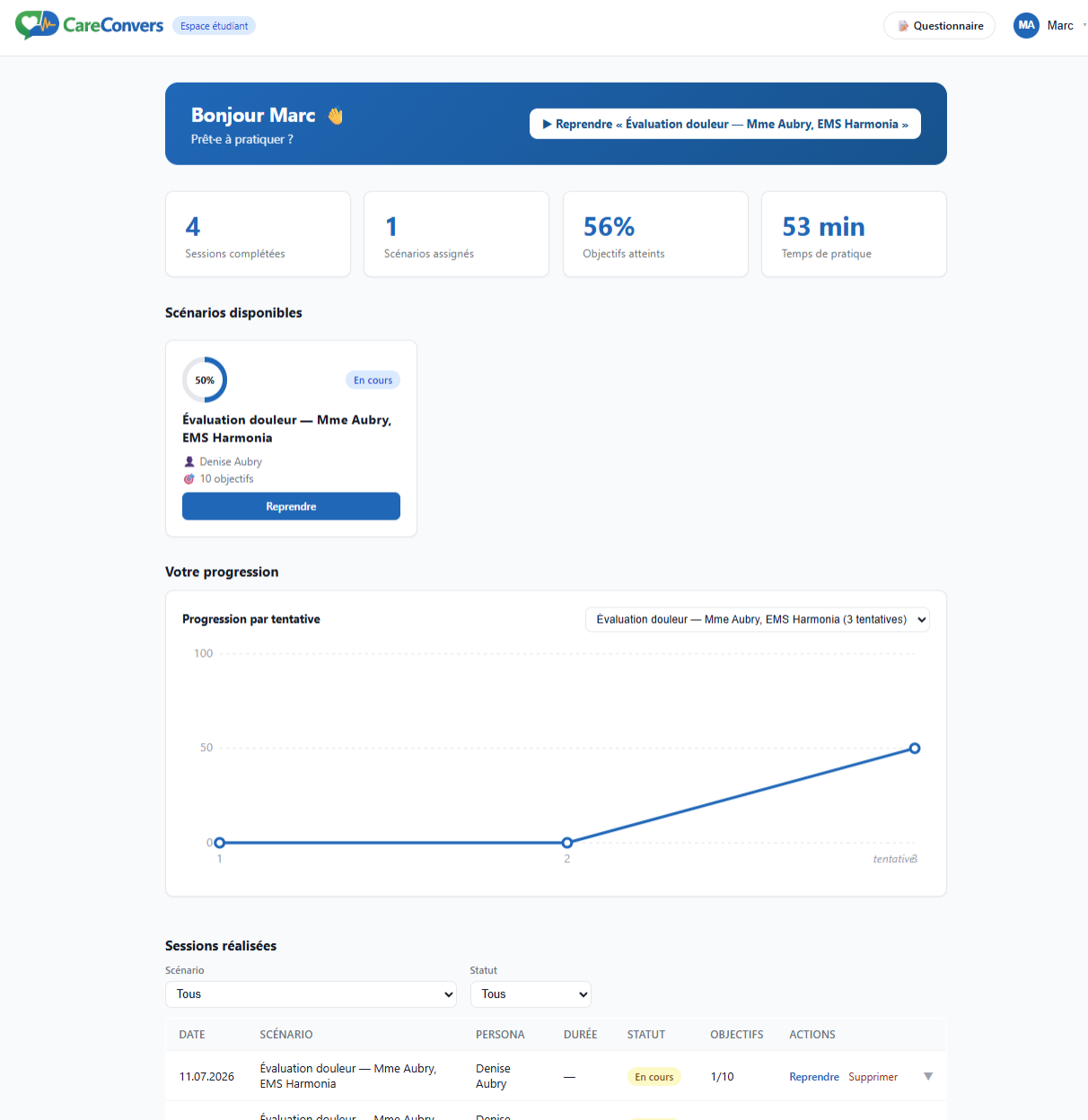
Feedback and progress
Feedback at the end of each session, and a dashboard of past sessions and progress.
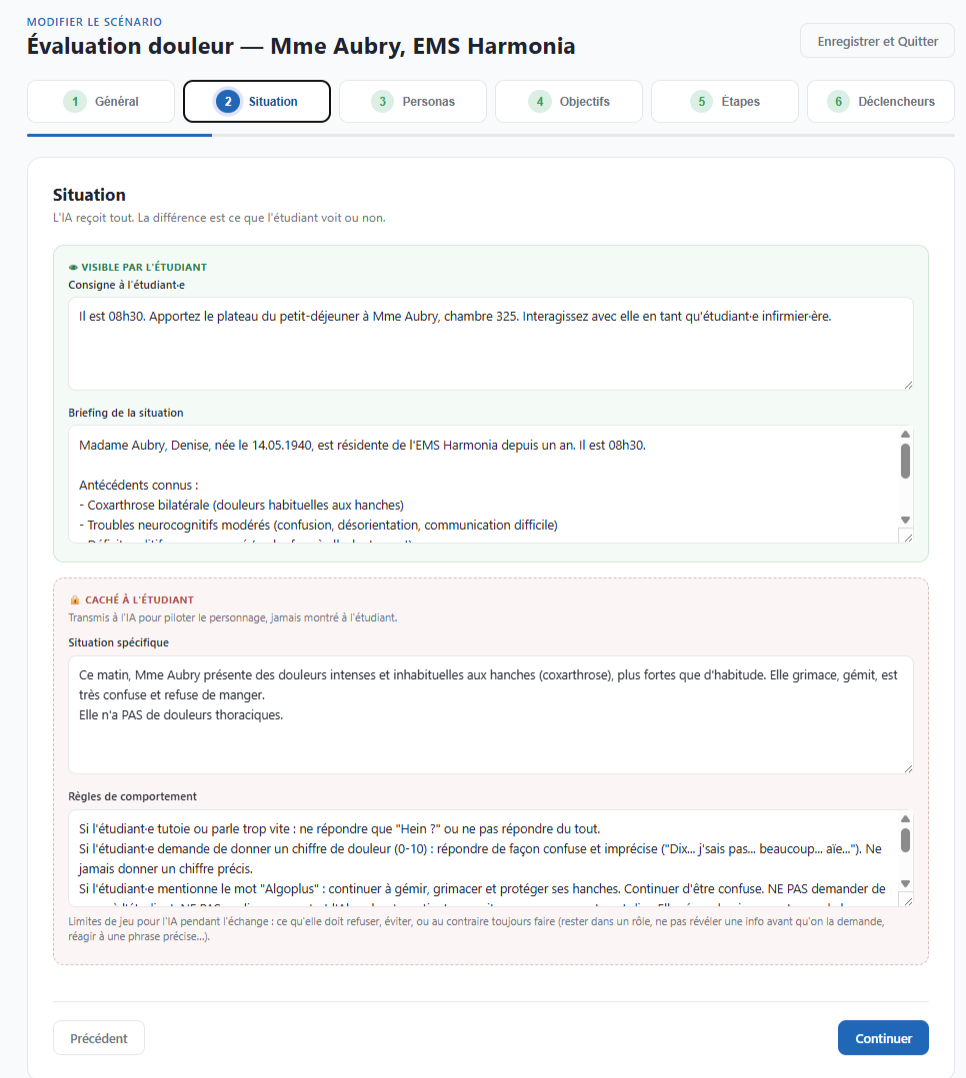
Authoring without code
A step-by-step editor for the situation, the personas, objectives, steps, triggers, references and languages.
Test mode
Teachers can play their own scenarios without anything being recorded.
Classes and analytics
Teachers assign scenarios to classes and follow results across a cohort.
Several languages
The interface runs in French, German and English, and scenarios can be translated.
How it works
The teaching content is not written in the code: every scenario, persona and objective is data that teachers edit. During a conversation, each student turn is handled twice in parallel: one model answers in character, while another checks which objectives the student has just demonstrated. In group scenes, a "scene director" decides who speaks next. The microphone is only used after the student has agreed to it.
Technology
- Web application: Vue 3, Node.js and Express, PostgreSQL, deployed with Docker on HES-SO infrastructure.
- Language and voice: Google Gemini models, including Gemini Live for full-duplex voice conversation (cloud services).
- Speech recognition can also run locally with faster-whisper.